To add a payment, go to the Fees tab on the permit/license/project/violation tab and select Add Payment from the Payments menu.

All fees that are payable at that time will be checked off for payment, but you can deselect a fee or fees by clicking on the checkbox next to it. If someone is making a partial payment, you can adjust the fee amount in the Amount column. The Paid Amount text box cannot be edited manually, but changing the Amount of one or more fees will recalculate the Paid Amount.
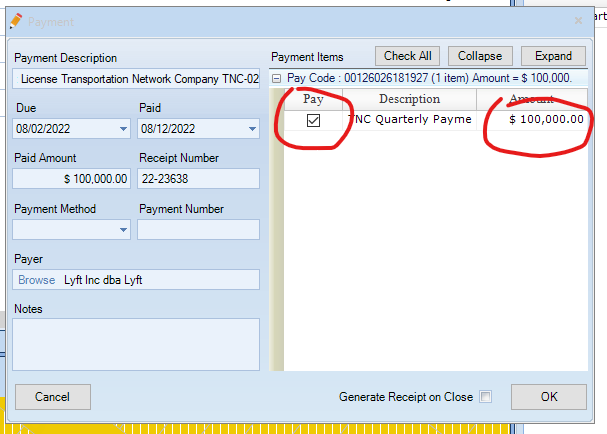
LAMA fills in the petitioner/applicant as the default payer, but you can select a different payer by clicking the Browse button next to the payer's name.
0 Comments