- To transfer a payment, first create a negative fee or fees matching the payment originally made.
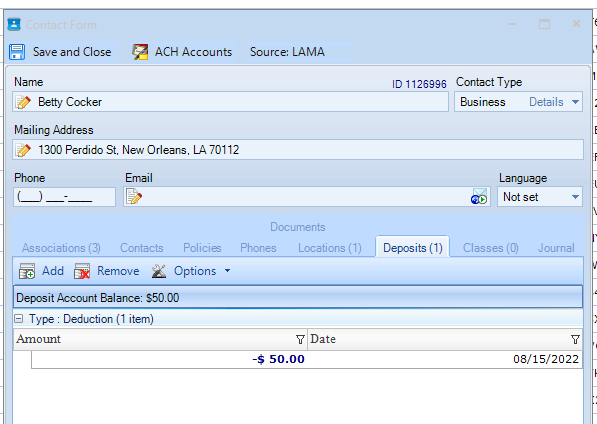
- Next, go to the fee(s) and add a payment using Deposit Account as the payment method. That creates an "account" and saves the amount of the payment. You can see whether a contact has a Deposit Account Balance and how much on the Deposits tab of the Contact form:
- Go to the permit/license/project/violation you'd like to apply the transferred payment to.
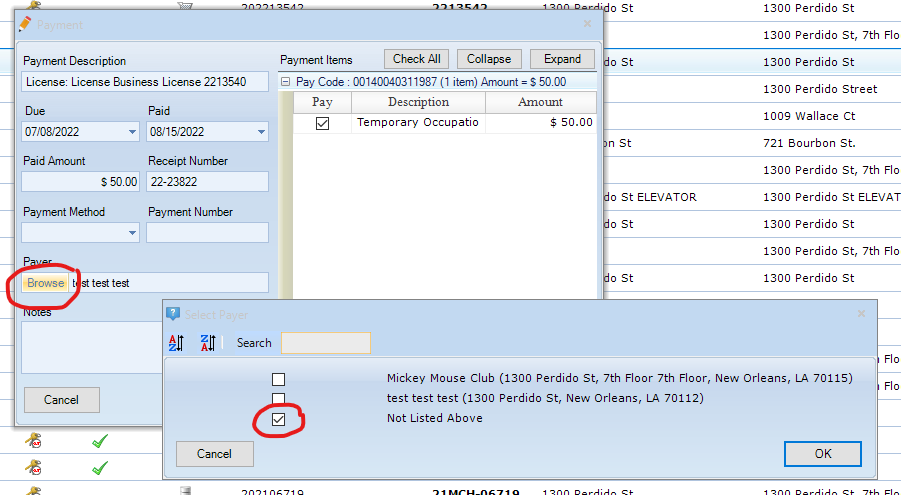
- Select Add Payment from the Payments menu on that item, and select the contact you just applied a deposit to in Payer. Make sure it's the same contact, not someone else with the same or similar name. You might need to browse for the correct contact if they're not already associated with that item - you can click Not Listed Above to search for them:
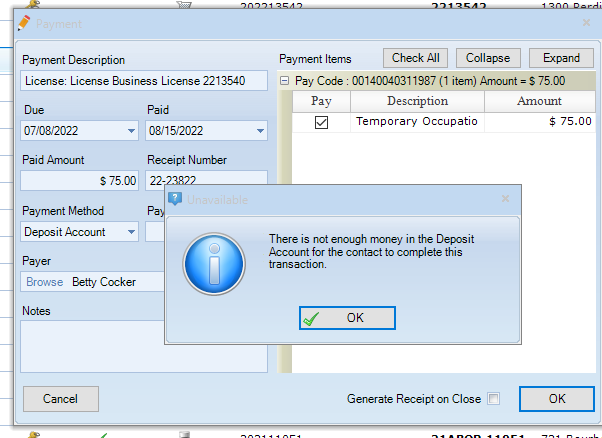
- Once you have the correct contact in Payer, you can chose Deposit Account as the payment method. If the contact doesn't have as much money in their deposit account as the fee(s) you're trying to pay, LAMA will not accept the payment:
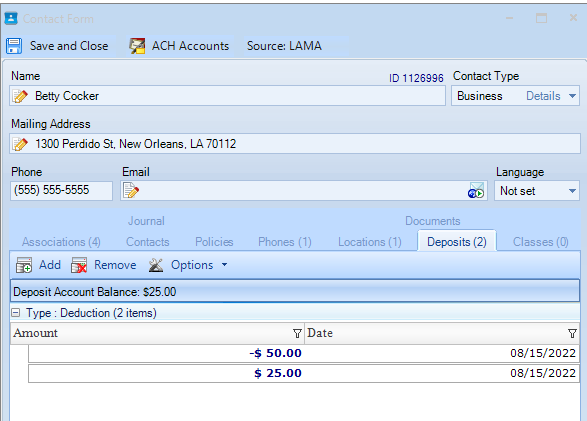
- If there's enough money in the deposit account to pay the fee(s), LAMA will update the deposit account balance and show the transaction in the contact form:
0 Comments